

What you’ll learn:
- How to test a provider
- Complete the Introduction guide
- Complete the Deploying your first provider guide
Testing a provider
Providers in Metorial provide tools, resources, and capabilities to AI assistants. In this guide, we will pick up on the provider deployed in the last step.Open the Provider Page
We start at the end of the last guide. Navigate to the overview page for your deployed GitHub provider.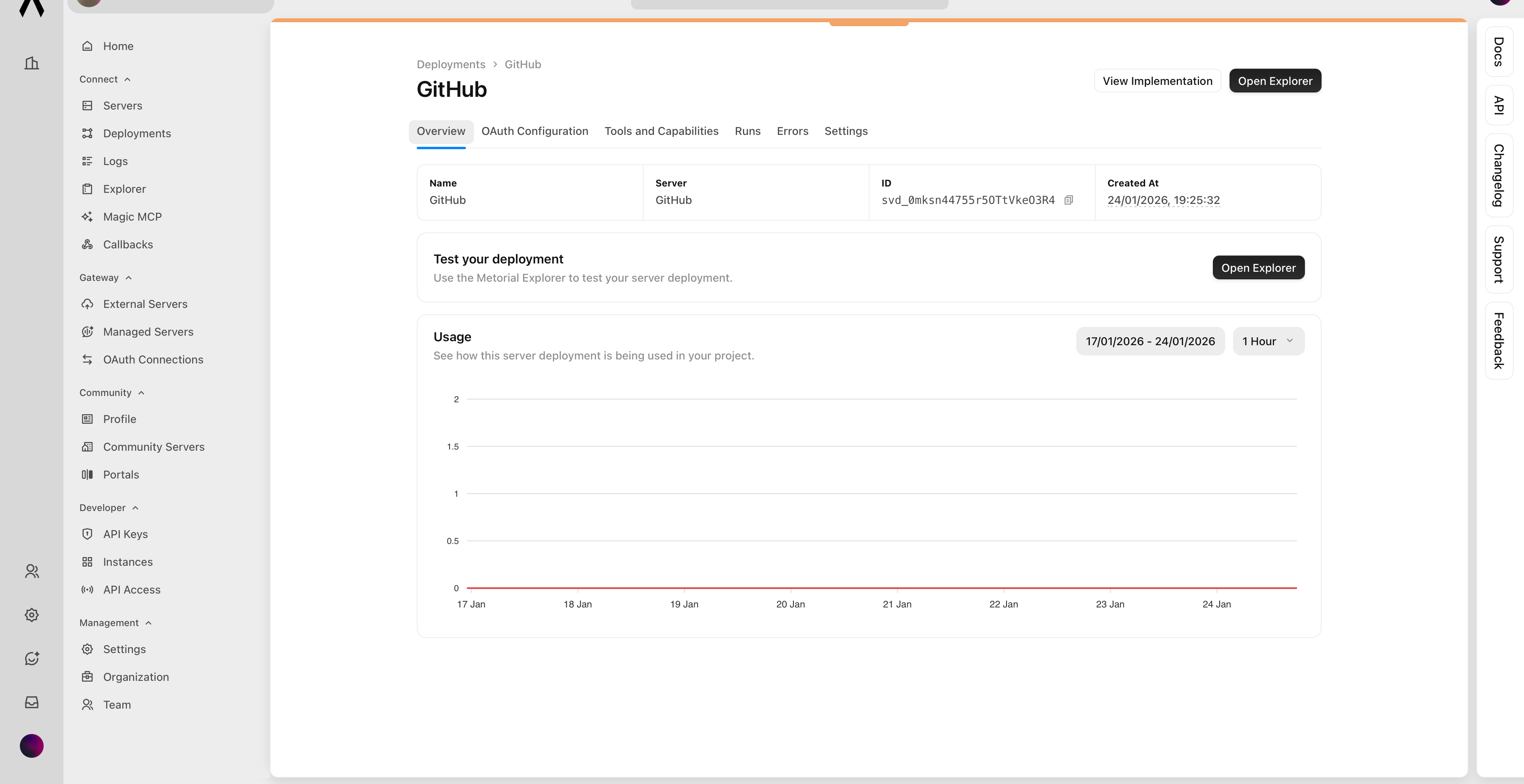
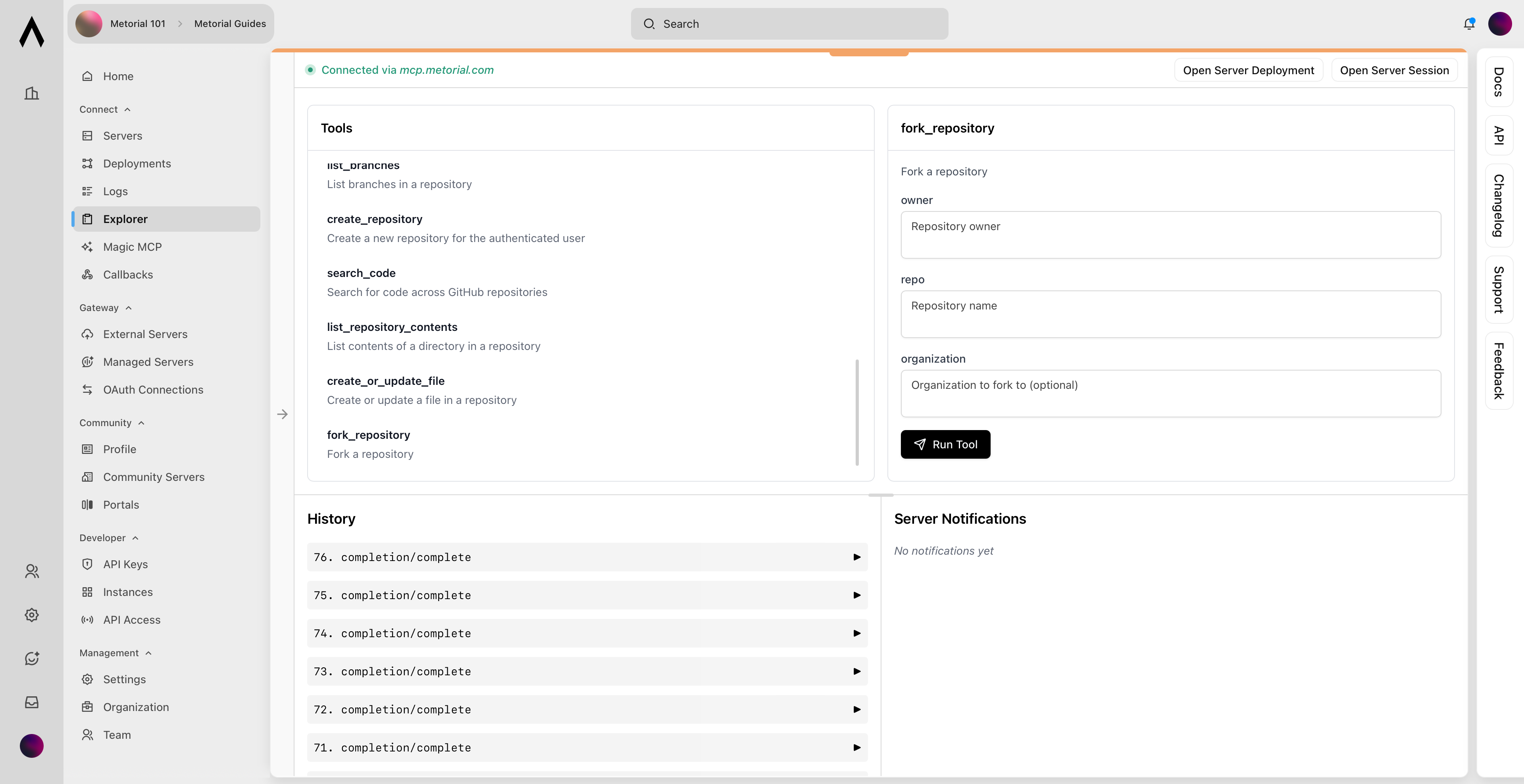
Open the Explorer
Click the Open Explorer button to open an interactive tool that lists all the provider’s capabilities.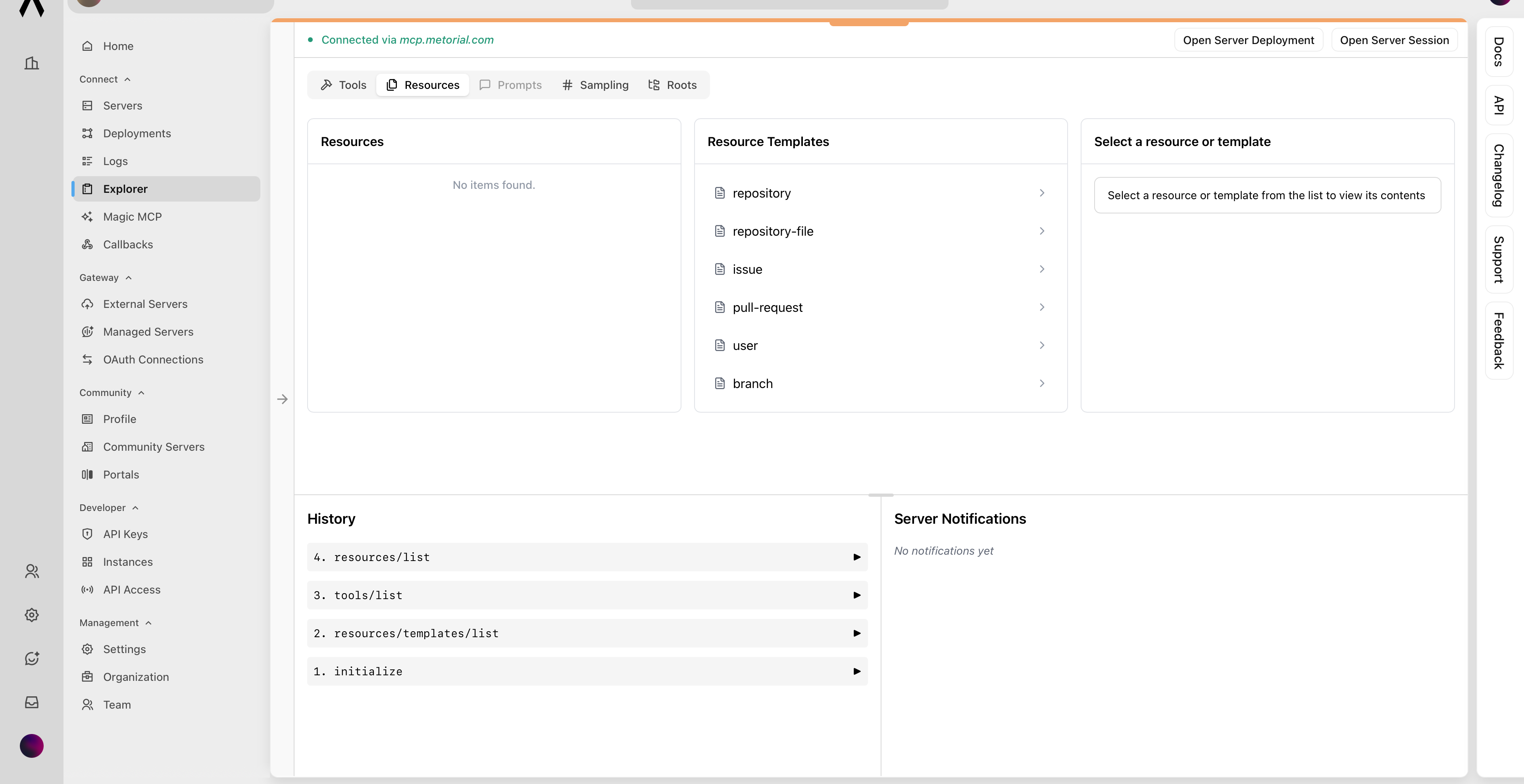
Test Server Capabilities
Select the 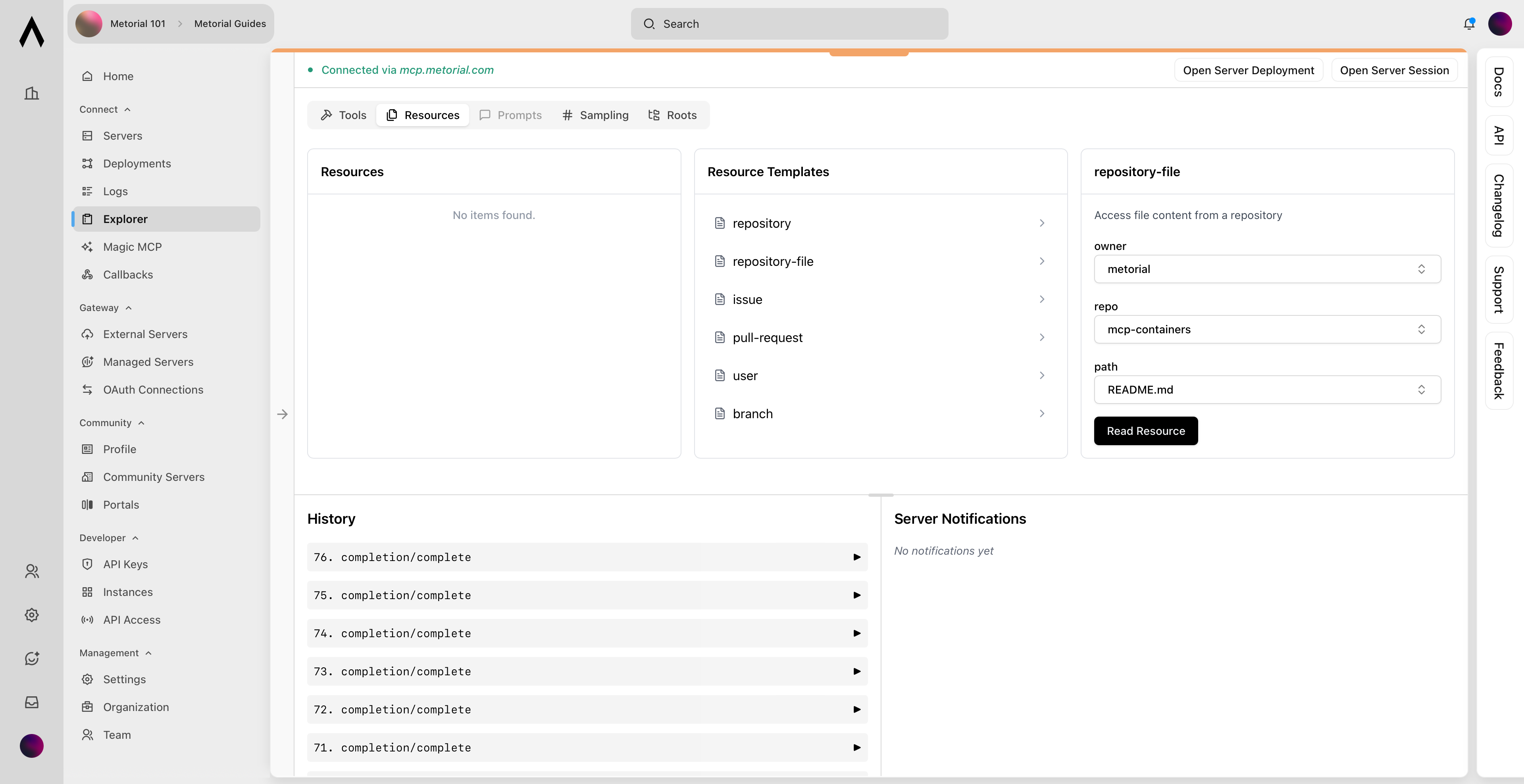
repository-file resource template from the available options. Enter the repository owner, repository name, and the file path you want to target. These settings define the list and method information that your AI integrations will invoke automatically.View Result
View the resulting response from the provider to see the data your AI integrations will consume.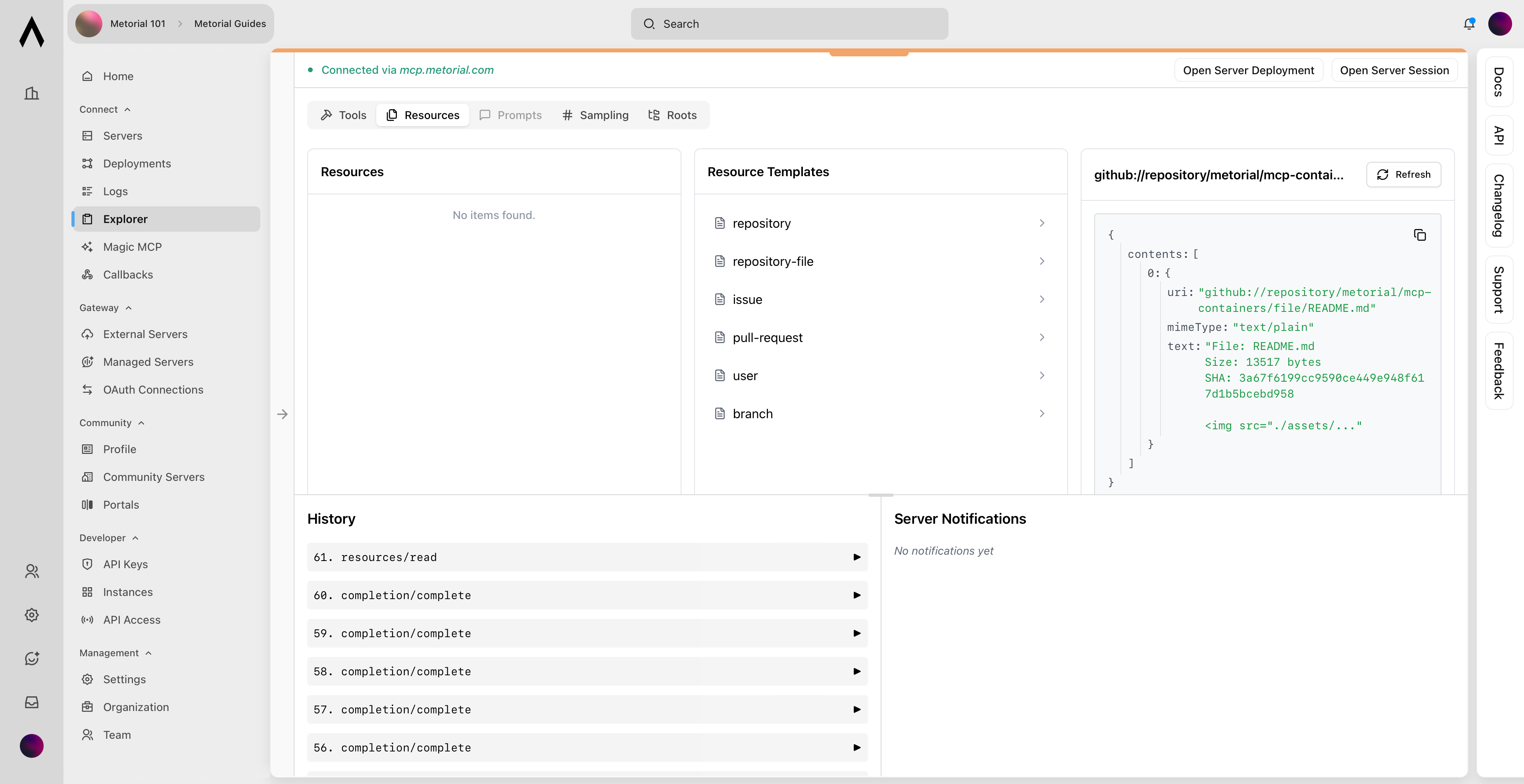
What’s Next?
🚀 You’ve successfully deployed and tested your first provider. Next, you’ll learn how to connect your provider to an LLM and use it in your AI application.Next Up: How to use a provider
Learn how to use a deployed provider using the Metorial SDKs.